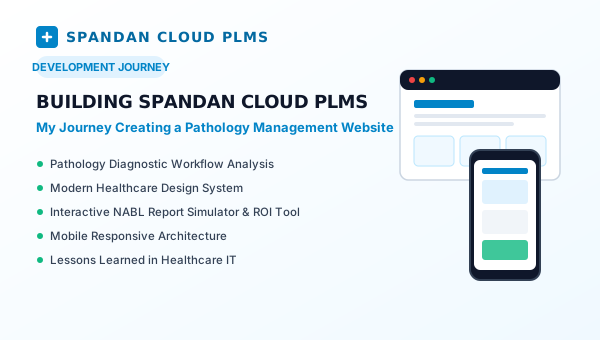
When I began developing the web presence for Spandan Cloud PLMS, my central mission was clear: create a digital platform that authentically reflects the rigorous operational needs of modern diagnostic pathology laboratories while remaining accessible, fast, and visually compelling for lab owners and pathologists across India.
1. Understanding the Pathology Laboratory Workflow
To build software or a product website for clinical diagnostics, you first have to understand what happens inside a lab every morning between 7:00 AM and 12:00 PM. The pace is intense, and precision is critical:
- Phlebotomy & Accessioning: A patient arrives for testing. Their demographic information must be registered in seconds, generating a Unique Health Identification (UHID) and thermal barcodes for distinct vacutainers (K2 EDTA for CBC, SST Gel for Biochemistry, Sodium Citrate for Coagulation).
- Analyzer Interfacing: Samples are loaded into automated hematology and biochemistry analyzers (such as Mindray, Sysmex, or Erba). Instead of a technician manually re-typing 18 CBC parameters into a computer, bi-directional LIS interfacing queries the barcode, conducts the assay, and transfers raw values directly into the cloud system.
- Clinical Review & Panic Alerts: Pathologists review flagged outliers and delta checks against prior patient results. If critical panic thresholds are breached (e.g., platelet count under 20,000 /cu.mm or serum potassium above 6.2 mmol/L), urgent alerts notify clinicians before final report release.
- Digital Approval & Dispatch: The pathologist validates the report using an encrypted digital signature. Within seconds, an automated branded WhatsApp message delivers a secure, password-protected PDF directly to the patient and referring doctor.
2. Website Architecture & Technology Choices
For this website, I chose a clean, performance-focused stack: Semantic HTML5, Vanilla CSS with Modern Custom Properties, and Modular Vanilla JavaScript. Rather than introducing heavy external dependencies, this architecture delivers ultra-fast load times, zero third-party framework overhead, and complete control over layouts and animations.
Key Architectural Decisions:
- Unified Component Templates: Standardized site headers, navigation drawers, and midnight-navy footers injected dynamically via
app.js, ensuring consistent branding and instant updates across all 15+ pages. - Modular CSS System: A tokenized design system in
styles.cssdefining deep enterprise midnight hues (--navy-950: #030816), clinical brand cyans (--cyan-500: #008cd6), accessible slate neutrals, and multi-layered elevation shadows. - Interactive Web Tools: Rather than only telling visitors about the software, we built working client-side simulators right on the site:
- An interactive NABL Sample Report Builder (
sample-report.html) allowing lab owners to toggle between digital headers, letterheads, QR verification, and doctor signatures. - An interactive Lab ROI & Savings Calculator (
roi-calculator.html) calculating monthly paper, cartridge, and technician time savings based on patient volume. - A searchable 1,500+ Test Catalog (
catalog.html) showing pre-configured departments, reference ranges, and automated clinical formulas.
- An interactive NABL Sample Report Builder (
3. Mastering Mobile Responsiveness
One of the most valuable challenges of this project was translating rich desktop dashboards and multi-column comparison grids into fluid mobile experiences. Pathologists and healthcare entrepreneurs frequently browse medical software on smartphones between clinic rounds.
To ensure optimal performance across devices ranging from compact 320px screens up to large desktop monitors, I implemented:
- Fluid Fluid Breakpoints: Using CSS
clamp()for responsive typography and padding, preventing abrupt layout jumps. - Responsive Grid Utilities: Replacing rigid inline
repeat(3, 1fr)andrepeat(4, 1fr)grids with flexible utility classes that gracefully collapse into single columns on mobile devices. - Table Overflow Protection: Enclosing detailed clinical test tables in smooth, touch-friendly horizontal scroll containers so that reference ranges and observed values remain intact without causing page-wide horizontal jitter.
- Touch-Friendly Controls: Generous tap targets (minimum 44px) for navigation links, mobile drawer items, and the floating Spandan Lab AI assistant trigger.
- Accessibility & Reduced Motion: Full
prefers-reduced-motioncompliance to support users who prefer minimal UI movement.
4. Lessons Learned Along the Way
Creating Spandan Cloud PLMS provided several practical insights into engineering software for healthcare:
- Design for Clinical Clarity: Diagnostic software cannot afford ambiguity. High-contrast indicators for normal vs. abnormal flags and legible typography directly impact patient safety and workflow efficiency.
- Interactive Previews Build Trust: Allowing pathologists to see and configure an authentic sample report before speaking with sales dramatically improves engagement.
- Mobile Responsiveness Is an Ongoing Discipline: A website that looks flawless on a 27-inch monitor can break on a 360px mobile viewport if rigid grid definitions or unclipped blur elements are overlooked. Continuous testing across real viewport widths is non-negotiable.
Conclusion
Building Spandan Cloud PLMS has been a deeply rewarding synthesis of healthcare domain knowledge, modern frontend design, and responsive web development. The website now provides diagnostic centers with a clear, reliable, and accessible entry point into modern cloud laboratory automation.